


SpeechCalc
Free browser tool that estimates speech time from word count
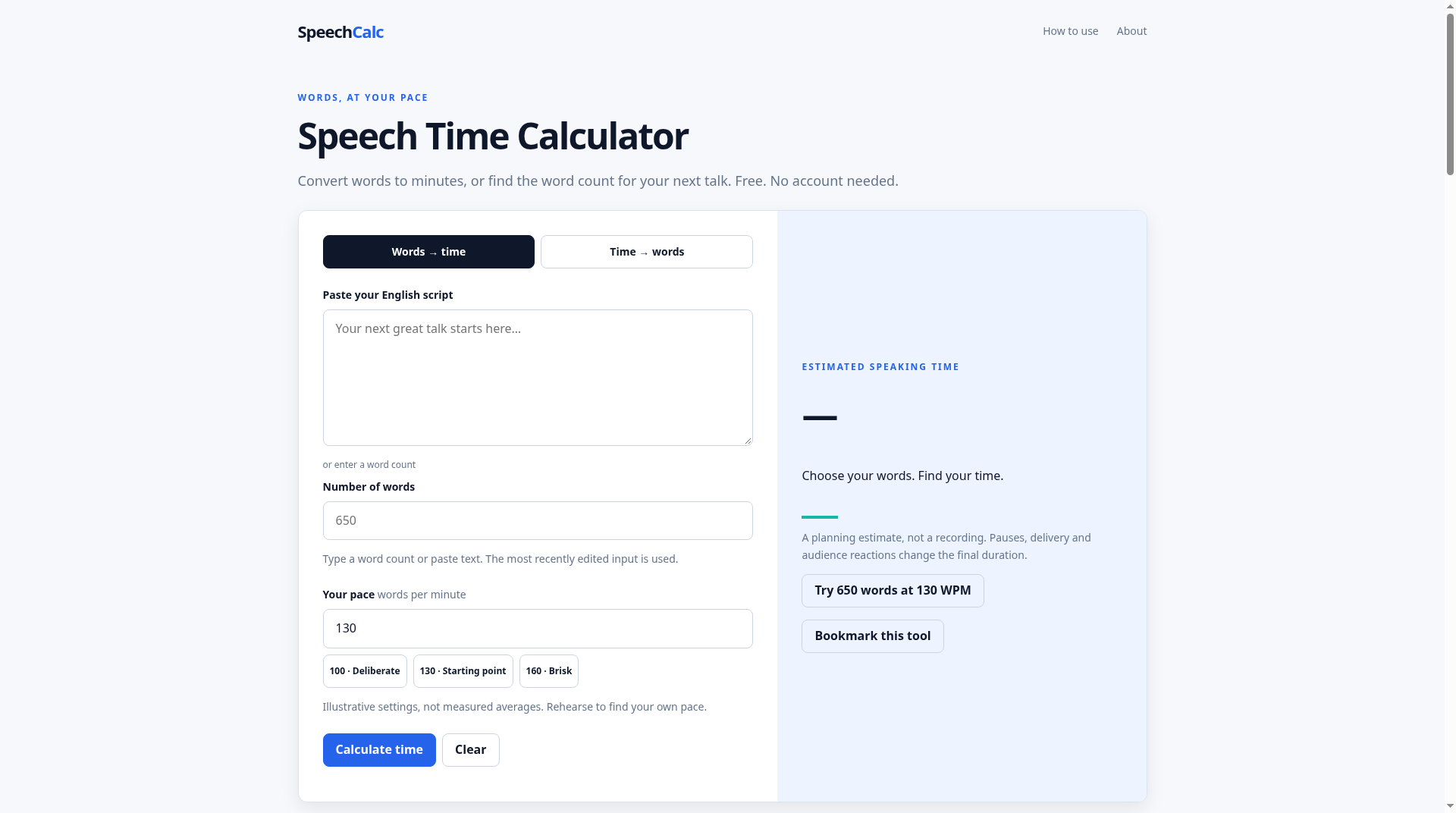
SpeechCalc is a free, no-account browser tool for estimating speech time. Paste a draft or enter a word count to convert words to minutes, or enter a target duration to get a starting word budget. Choose 100, 130, or 160 words per minute as illustrative settings, or enter your own pace. Results are planning estimates, not recordings. The calculation runs in your browser and does not upload or save your script. Pasted-text counting is designed for English planning. Convert words to minutes, or find the word count for your next talk. Free. No account needed.

MAKER

PRICING
BADGES
Add this product’s Brivoy badge to any website. Pick a badge and a style, then paste the code. Badges update automatically — products without an award get the “Featured on” badge.
FAQs About SpeechCalc
How many words fit in a five-minute speech?
At 100, 130, and 160 words per minute, five minutes allows about 500, 650, or 800 words, respectively. These are arithmetic examples using your selected pace; rehearse to find your own pace and reserve any additional non-speaking time.
Can I convert minutes into a word count?
Yes. Select Time → words, enter target minutes and your pace, then calculate. The result is rounded down to a whole word.
Does the calculator upload my script?
The calculation runs locally in your browser. The calculator code does not upload or save your script. Hosting and site measurement are separate; see the privacy notice for details.
Is 130 WPM an official speaking average?
No. It is an illustrative starting setting. Use your own rehearsal to choose a suitable pace.
Is SpeechCalc free?
Yes. The current calculator requires no account, payment, or subscription.
1 COMMENTS
Log in to join the discussion.
SHARE & STATS
Ask AI about this project








I am the maker of SpeechCalc and I am submitting this official listing.