


DrawPic Edit Text in Image
Box any text in an image and replace it
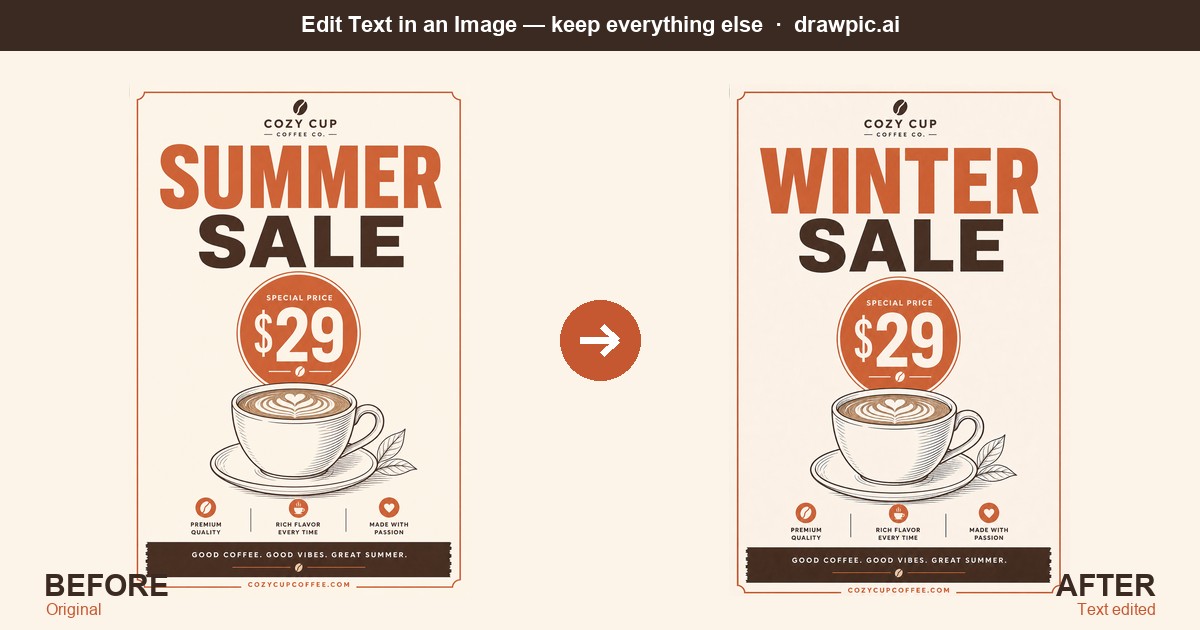
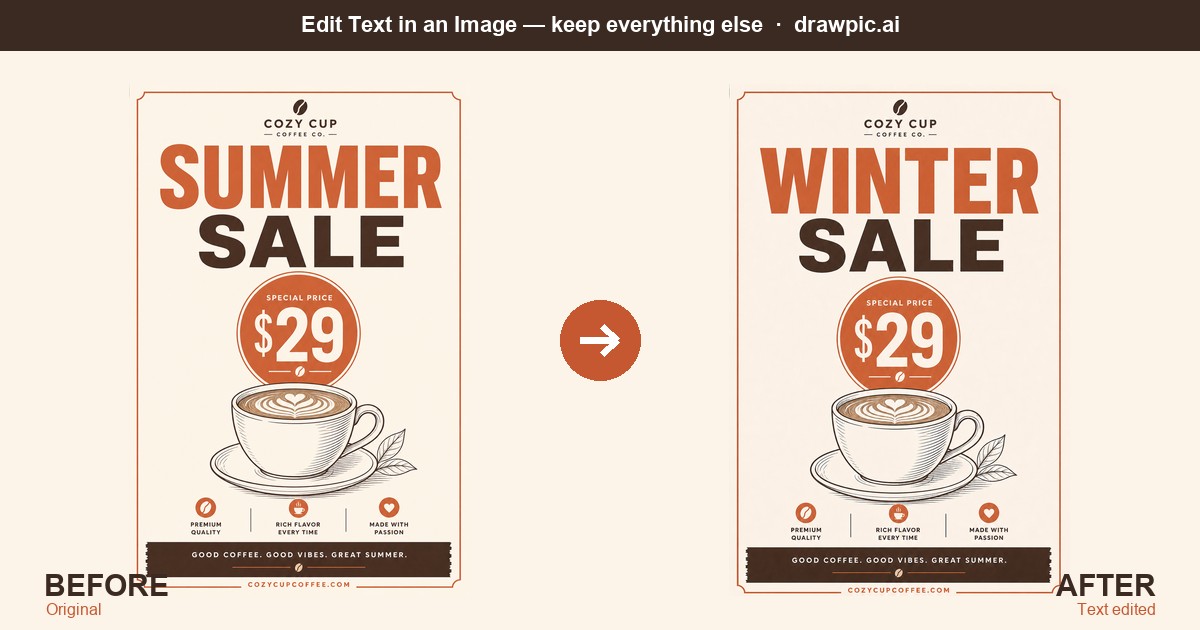
Select a word, price, date or number in any image or screenshot and replace it — everything outside the box stays the same. Draw a box around the text you want to change, type the new text, and get the edited image back. Works on posters, menus, ads and long screenshots. Free to try. Box the words in your image, retype them — everything else stays identical. Posters, charts, menus, screenshots, or photos with text all work. Upload the image — poster, menu, screenshot, or a photo with text on it (PNG, JPG or WebP). Draw a box around the words you want to change, slightly larger than the text itself. Type what the text should say and generate. The output keeps the original image size; download as PNG. Yes — you can edit text you do not have the source file for; that is the main use. Work directly on the finished image; you never need the original design file. Normally only the text inside the box is replaced, and background, other text, and layout are preserved.

MAKER

PRICING
AWARDS
BADGES
Add this product’s Brivoy badge to any website. Pick a badge and a style, then paste the code. Badges update automatically — products without an award get the “Featured on” badge.
1 COMMENTS
Log in to join the discussion.
SHARE & STATS
Ask AI about this project











Hi everyone — DrawPic lets you box any text in an image and replace it. Everything outside the box stays the same. Free to try.